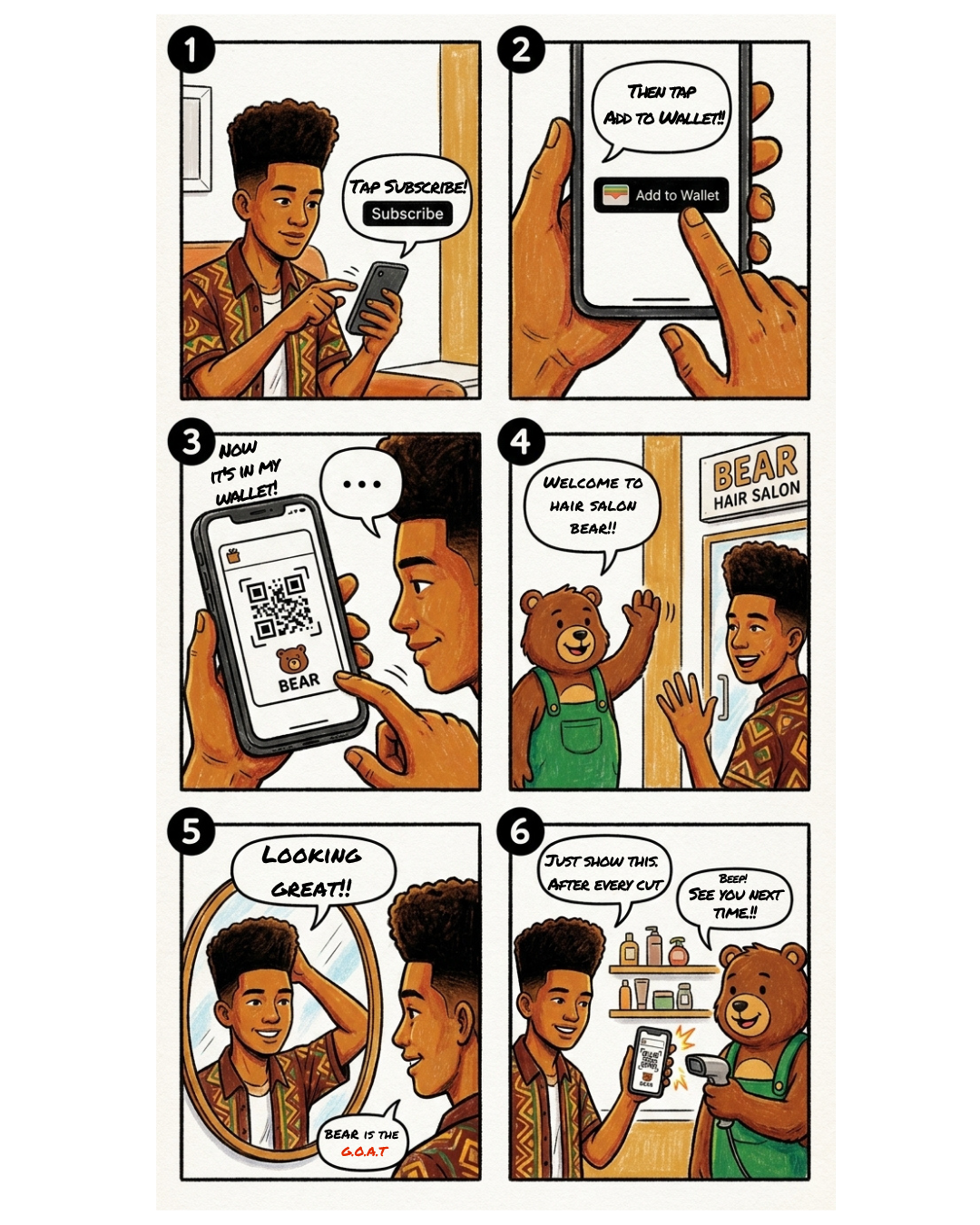
How to use
01
スマホで登録Sign up on your phone
申し込みボタンから、お名前・連絡先を登録してお支払いへ。数分で完了します。Tap Subscribe, enter your name and contact details, and pay. Done in minutes.
02
ウォレットにパスを入れるAdd the pass to your wallet
購入後に表示される「ウォレットに追加」をタップ。Apple Wallet / Google ウォレットにパスが入ります。アプリもログインも不要です。After purchase, tap “Add to Wallet.” Your pass is saved to Apple Wallet or Google Wallet. No app, no login.
03
来店するCome in
あとはいつも通りご来店ください。ご予約のうえお越しいただくとスムーズです。Just visit as usual. Booking ahead makes it smoother.
04
スキャンするScan
カットのあと、お会計でウォレットからパスを開いてQRをご提示。スタッフがスキャンして、これで1回分です。After your cut, open the pass from your wallet and show the QR. Our staff scans it — that's one cut.
The plan
料金Price月額 ¥5,500¥5,500 / month税込tax included
回数Cuts月2回までUp to 2 / monthカットをご利用いただけますhaircuts per month
更新Renewal毎月自動更新Auto every month入会日が基準。例:2/22入会→毎月22日に更新・請求、回数リセット。On your join date. e.g. join Feb 22 → renews & billed on the 22nd; count resets.
Good to know
- 回数は翌月に持ち越せる?Do unused cuts carry over?
- いいえ。更新日にリセットされ、繰り越しはできません。No. Cuts reset on your renewal date and don't carry over.
- カット以外も使える?Can I use it for other services?
- 対象はカット。シェービング・カラー・パーマ等は別料金です。The pass covers haircuts. Shaving, color, perm, etc. cost extra.
- 家族や友人と共有できる?Can I share my pass?
- パスはご本人さま専用。共有・貸し借りはできません。Your pass is for you only. No sharing or lending.
- 解約は?How do I cancel?
- 次回更新日前までに手続きを。その月の更新日までは利用できます。Cancel before your next renewal date. You can use it until that date.